In the DeltaBlue Cloud Platform, users have the flexibility to modify the resources allocated to their stack items, allowing for tailored optimization of their application's performance. Here's how you can adjust resources for stack items:
Accessing Stack Item managementClick on the cog wheel icon within the stack items area to access stack item management. This will open the “Edit stack” screen.
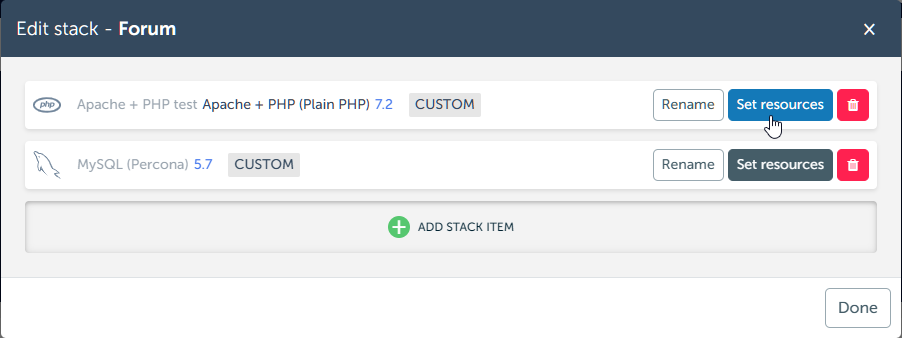
Click on the cog wheel to go to the “tune resources” screen where you can choose another variation of resources.
New since 2024-09-26 release
Create your own resource combination.
Stack items with custom resources will be labeled as "CUSTOM".
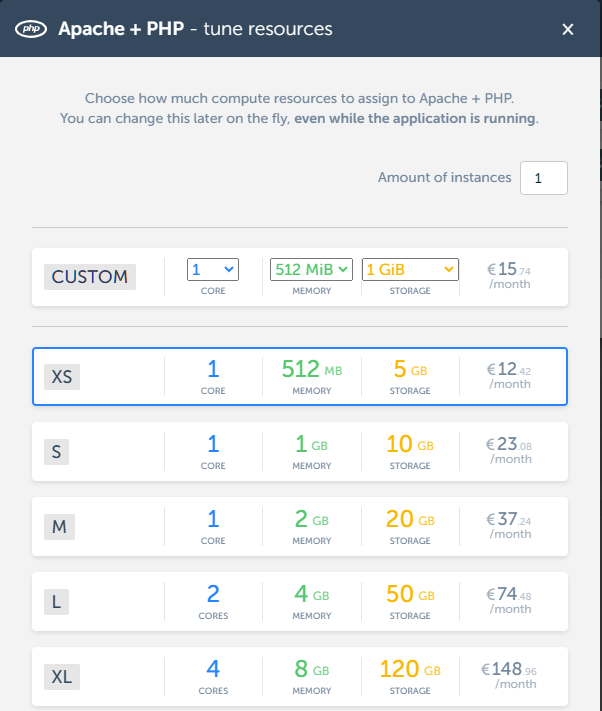
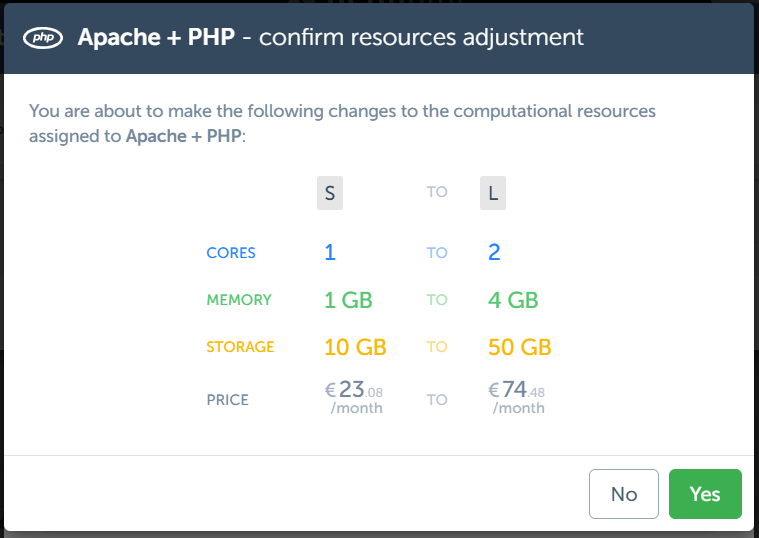
Review your changes and confirm.
Pro tip
You will see a notification if there are stackitems that are using more than the assigned resources.

You can also monitor the usage of your apps as described in Live monitoring of applications